Processes Invoices in Under 5 Seconds
OmniAI Helps for:
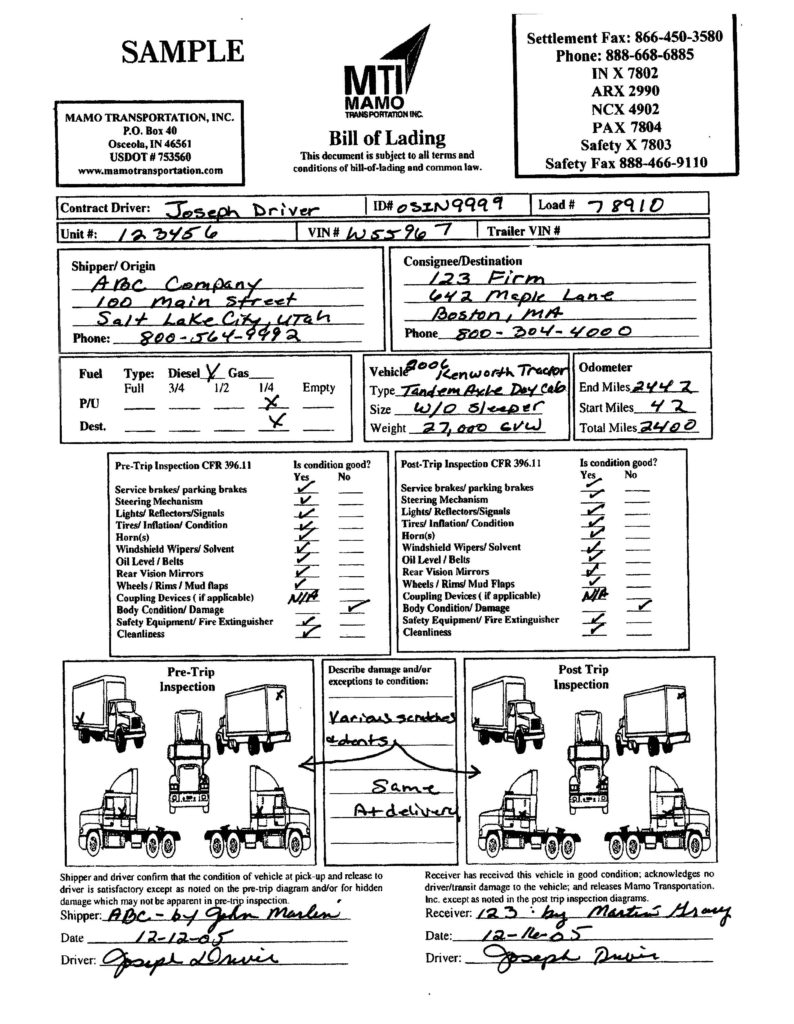
Upload a scanned or digital bill of lading and receive structured tables with shipper, consignee, cargo details, weights, and charges, exportable to Excel and Google Sheets.
OmniAI Helps for:
Validators cross-check weights, volumes, and rate tables against total charges, flagging over-billing or missing accessorials before payment.
OmniAI Helps for:
A single endpoint triggers OCR, captures field locations, and delivers results to your TMS, ERP, or analytics stack with minimal code.
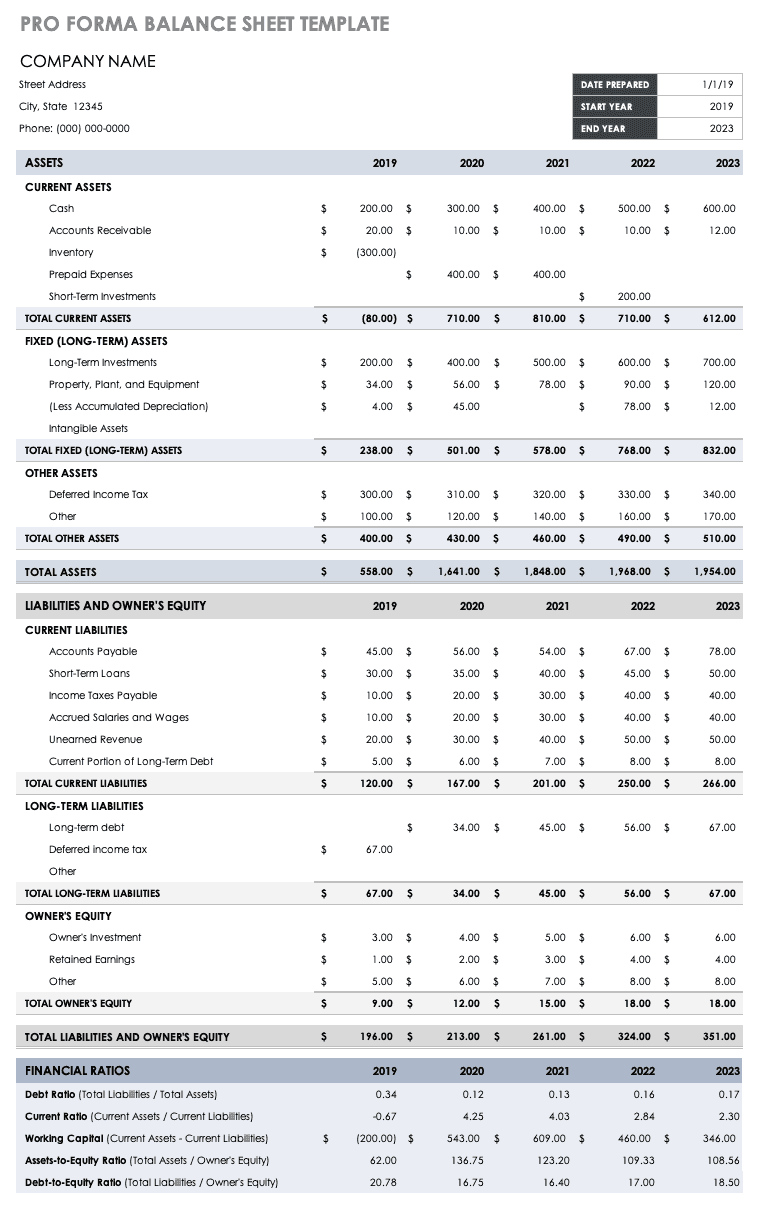
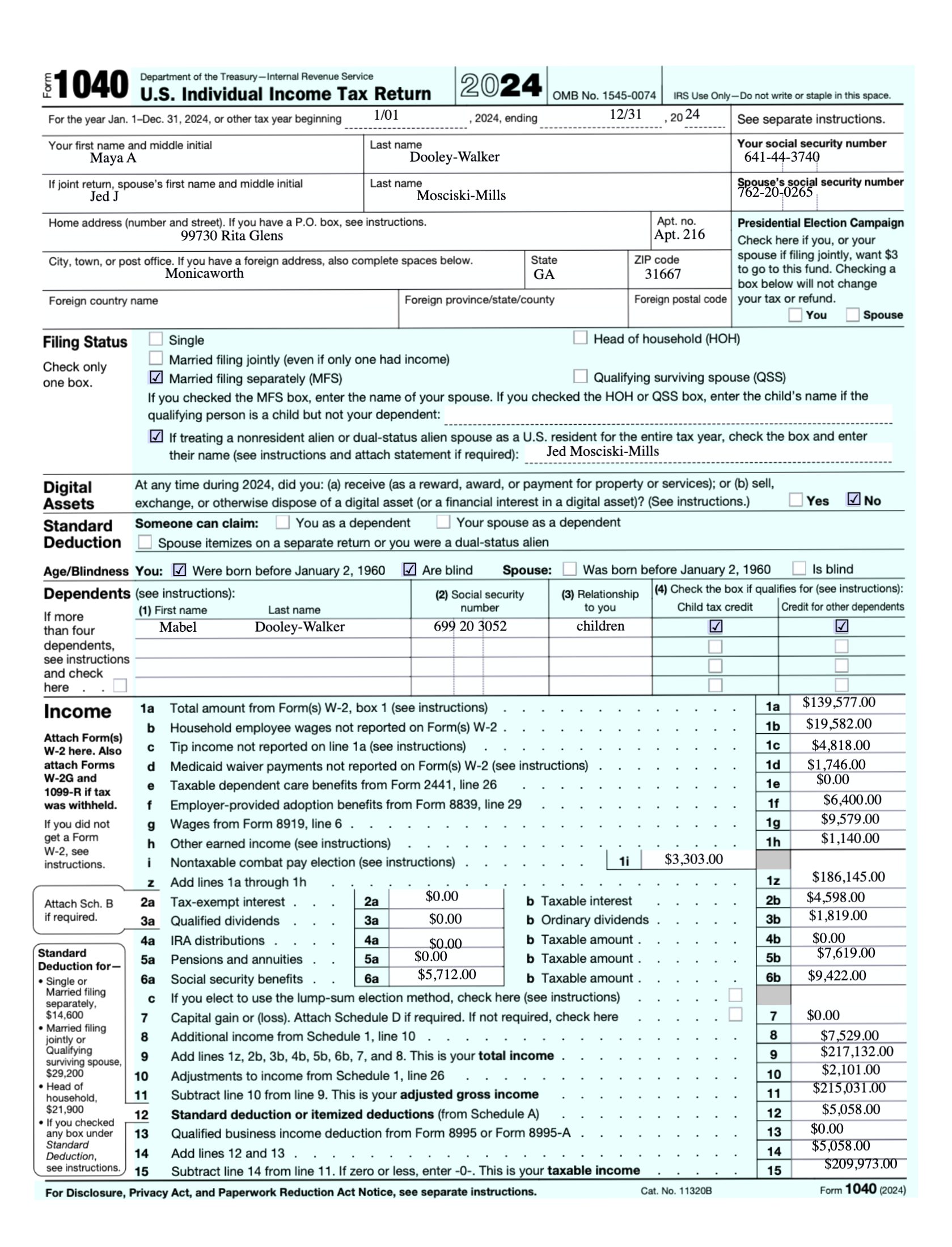
Upload a sample document to explore how OmniAI accurately extracts data.
How it works
Simple, fast, and efficient
Set up in minutes and start processing invoices effortlessly.
Upload
Drag and drop or integrate files directly via API.
01
Extract
OmniAI processes data in real-time with 95%+ accuracy.
02
Structure
Data is categorized and structured automatically.
03
Export
Send data to your preferred tools (Excel, Sheets, etc.).
04
Dev Ready
AI-powered document processing that extracts text, tables, and data from complex layouts. Built to handle everything from simple forms to dense, irregular reports.
API First
An API-first design makes it easy to plug into any workflow, without hitting limits or glass ceilings.
Document OCR
Structured Extraction
Classification
Batch Processing
Advanced Monitoring
OmniAI vs. Traditional Solutions
Why OmniAI stands out
Smarter, Faster, and More Accurate
Seamless processing with OmniAI's automated extraction improves efficiency.
Slow, Error-Prone, and Costly
Manual processing causes delays, costs, and errors—hindering your workflow.
Trusted by

Which bill-of-lading fields are captured?
OmniAI uses advanced machine learning to accurately extract and validate data from invoices, reducing human errors and ensuring higher accuracy rates.
Can you handle different carrier and format styles?
OmniAI uses advanced machine learning to accurately extract and validate data from invoices, reducing human errors and ensuring higher accuracy rates.
How accurate is the extraction on multi-page BOLs?
OmniAI uses advanced machine learning to accurately extract and validate data from invoices, reducing human errors and ensuring higher accuracy rates.
How do I export the data to Excel or Sheets?
OmniAI uses advanced machine learning to accurately extract and validate data from invoices, reducing human errors and ensuring higher accuracy rates.